Choosing the right card laminator machines for your print shop involves more than matching equipment to your card sizes. Your materials, production volume, and finishing requirements all play a role in determining which machine best fits your workflow.
Whether you're laminating employee IDs, school badges, event credentials, or educational flash cards, understanding these requirements can help you narrow your options and choose equipment that delivers consistent results.
Identify Your Applications Before Choosing an ID Card Laminator Machine
Before comparing machines, start by identifying what you plan to laminate. A business producing employee IDs may have different requirements from a school preparing student cards or an event organizer creating temporary credentials.

When choosing a laminator, consider the size and construction of your cards, the type of laminating material required, and the level of protection you need. These factors help determine which equipment is suitable for your application.
For paper-based cards and printed inserts, pouch lamination can provide a protective finish. Plastic ID cards, however, may require specialized laminating patches, overlays, or different equipment depending on their construction.
When considering ID card lamination, confirm that the machine and laminating materials are compatible with your cards to achieve the desired protection and finish.
It's also important to consider whether you'll be laminating products beyond cards. If your shop handles certificates, photographs, documents, or educational materials, look for a machine with a laminating width that can accommodate these different applications. This can give you more flexibility as your finishing needs change.
Compare ID Laminator Features and Specifications
With your applications identified, the next step is to determine which machine features can accommodate your materials and support your workflow.
When comparing an ID laminator, pay attention to these specifications:
Laminating width
Determines the maximum material width the machine can accommodate. Check that it can handle your card sizes and any other items you plan to laminate.
- Pouch thickness Pouch thickness: Check the supported thickness range to ensure the machine works with your chosen laminating pouches.
- Temperature Control Helps you use the recommended settings for compatible pouches and materials.
Speed Control
Allows adjustments to processing speed where supported by the machine.
Roller Configuration
Different combinations of heated, cold, and exit rollers contribute to a machine's design and operation.
Programmable Settings
Memory functions can save frequently used temperature and speed combinations, simplifying setup for repeat jobs.
The right combination of features can help simplify setup, maintain consistent results, and support efficient production. Prioritize the specifications that matter most for your materials and daily workflow rather than choosing a machine based on its feature list alone.
Match the Laminator to Your Production Volume
The right features won't be enough if a machine can't keep up with your workload. Consider how often you laminate, how many items you process per batch, and how quickly each job needs to be completed.
For example, an organizer producing 50 name badges for a one-day conference may only need a badge laminator with straightforward controls and settings compatible with the chosen materials. With occasional batches of this size, advanced programming features may offer limited additional value.
Now consider a company that regularly prepares employee identification cards for new hires and replacements. If different batches require recurring adjustments, programmable settings can simplify setup by saving frequently used temperature and speed combinations. If the company also processes larger batches, a machine with a higher laminating speed may help improve throughput.
These examples show why production requirements should guide your decision. Higher laminating speeds can improve throughput for larger or more frequent batches, but that additional capacity may not be necessary for occasional jobs. When choosing a small laminating machine or a commercial-grade model, consider your typical batch size and production schedule to find equipment that meets your needs without unnecessary costs.
Calculate the Total Cost of Ownership
After identifying your applications, preferred features, and production volume, consider the full cost of owning and operating the machine.
The purchase price is only part of the investment. When comparing flash card laminator prices, consider the cost of pouches, electricity, maintenance, and operator time alongside each machine's speed and capacity. A lower-cost model may suit occasional educational projects, while a commercial-grade laminator may be more economical for frequent or larger batches if it helps your shop maintain production efficiency.
Before purchasing, check the cost of compatible consumables, warranty coverage, maintenance requirements, and technical support. If possible, test the machine with your intended materials to confirm compatibility and evaluate the finished result.
Consider how much each finished card costs to produce, including laminating materials and operator time. Evaluating these expenses alongside the machine's purchase price can help you compare models based on their long-term value rather than upfront cost alone.
Compare Laminator Models Against Your Requirements
With your applications, preferred features, production capacity, and budget in mind, you're ready to compare individual machines. Looking at specific models helps you understand how differences in speed, roller configuration, and other specifications may affect your workflow.
For businesses exploring commercial pouch lamination, Skandacor's LAMpro Wildcat R6 and R10 offer two options with different processing speeds.
Both models feature a 13-inch laminating width, temperature and speed controls, an LCD display, a reverse switch, and support for pouches up to 14 mil thick. They also include two programmable memory settings and automatic cooling and shutoff.
The LAMpro Wildcat R6 has six rollers, including four heated rollers and two cold rollers. It operates at 4 feet per minute and may suit businesses that need commercial-grade pouch lamination without prioritizing maximum processing speed.
Consider this model if: your shop regularly laminates cards, documents, and other small-format materials and needs reliable pouch lamination.
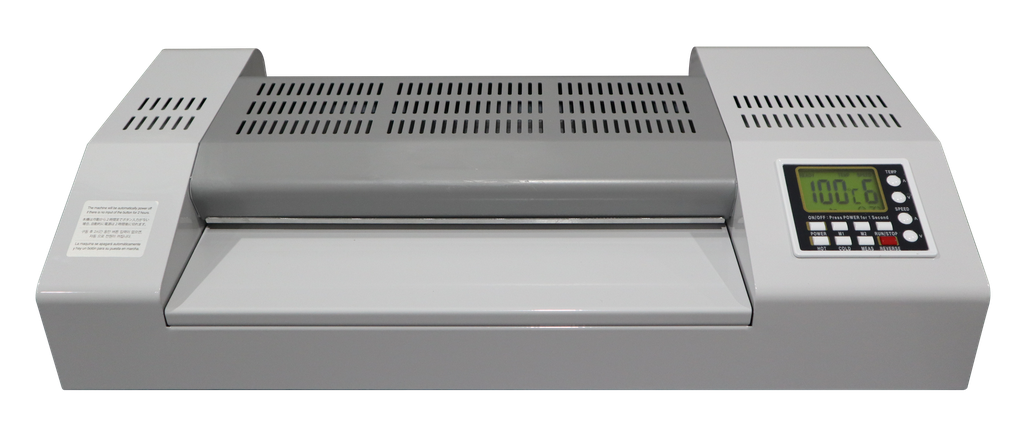
The LAMpro Wildcat R10 has ten rollers: six heated rollers, two cold rollers, and two exit rollers. With a laminating speed of 13 feet per minute, it may be worth considering for workflows with greater processing demands.
Consider this model if: you need a higher-speed laminator that can help your team process larger batches and maintain a steady production workflow.
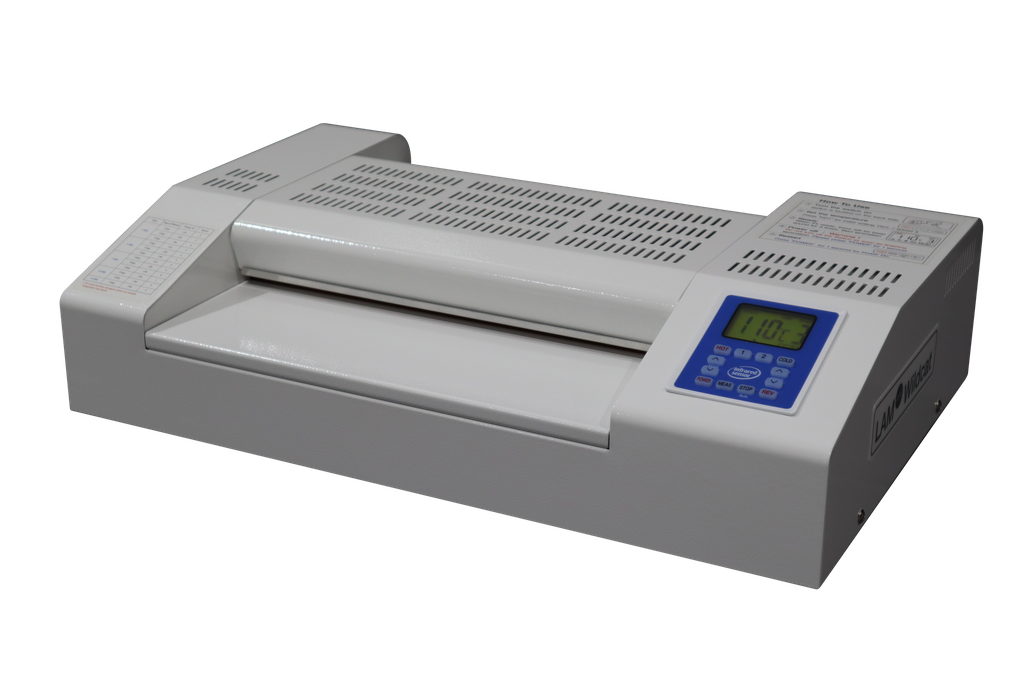
When comparing the LAMpro Wildcat R6 and R10, consider how often you laminate, the size of your typical batches, and the processing speed your workflow requires. While the R10 offers a different roller configuration, the best choice depends on your applications and production demands.
Both machines work with Skandacor's POUCHpro laminating pouches. For identification cards or badges, confirm that the card construction and selected pouches are compatible with the equipment before processing.
Once you've identified a suitable model, the final step is to find a supplier that can help you obtain the equipment and materials you need.
Choose a Reliable Supplier for Your Laminator
Finding a suitable machine is only part of the purchasing process. The supplier you choose can also affect how easily you source compatible materials, get answers to technical questions, and address issues that arise after installation.
When researching where to buy a laminator machine, look beyond the product listing and initial price. A knowledgeable supplier should be able to explain the machine's capabilities, help you identify compatible consumables, and answer questions about your intended applications.
Before making a purchase, consider asking about:
- Application compatibility: Can the machine accommodate your materials and intended laminating process?
- Consumables: Are compatible pouches and other supplies readily available?
- Technical support: What assistance is available if you encounter operating issues?
- Warranty and maintenance: What coverage and service options are provided?
- Production requirements: Will the equipment support your typical workload?
A reliable supplier can help you evaluate equipment compatibility, source the right consumables, and access technical support when needed.
Frequently Asked Questions About Card
Laminator Machines
The right laminator depends on the card material and the protection required. Pouch laminators can be suitable for paper-based ID cards and printed inserts, while plastic ID cards may require specialized laminating equipment or compatible protective overlays. Always check material compatibility before choosing a machine.
Yes, pouch laminators can be used for paper-based badges, educational flash cards, and other printed materials when the machine supports the selected pouch thickness and dimensions. For plastic badges or cards, confirm compatibility with the equipment and laminating process.
Key features include laminating width, supported pouch thickness, temperature controls, processing speed, and roller configuration. For shops handling repeat jobs, programmable settings can also help simplify setup and maintain consistent operating conditions.
Consider your typical batch size, production frequency, and turnaround requirements. Machines with higher processing speeds may help reduce production time for larger batches, while programmable settings can simplify repeated jobs that use the same materials
Find the Right Card Laminator With Skandacor
Choosing the right card laminator starts with understanding your materials, production needs, and budget. By comparing these factors, you can select equipment that supports consistent results and efficient finishing.
Skandacor supplies finishing equipment and materials to print shops and dealer partners across Canada, the USA, and Europe.
Need help choosing a laminator? Contact Skandacor at sales@skandacor.com to discuss your application, materials, and production requirements.