If you run a print shop, you may be seeing more requests that go beyond “print it and stack it.” Not every market is there yet — but when customers do ask for shaped labels, sticker sheets, short-run packaging, presentation pieces, or prototypes, the finishing step is what turns flat print into something sellable.
Outsourcing that finishing can work well for the right jobs. But it can also introduce delays, minimums, shipping costs, and back-and-forth when a customer wants changes. And doing too much by hand can quietly eat margin through labor time, slowdowns, and rework.
This guide will help you:
- Understand where die cutting fits in a production workflow
- See what digital die cutting unlocks (and where it doesn’t)
- Know what to look for if you’re considering bringing more finishing in-house — without adding chaos to your day
Quick check: is this worth thinking about for your shop?
A digital cutter is usually worth exploring if you’re dealing with any of these:
- You’re frequently asked for kiss-cut stickers/labels, shaped decals, or weed-friendly sticker sheets
- You’re producing short runs with lots of variation (seasonal promos, events, multiple SKUs)
- Your jobs are often subject to multiple customer change requests
- You’re doing (or trying to avoid) work that requires hand trimming, slitting, perforating, or creasing
- Outsourcing lead times are starting to cost you
It might not be a priority if:
- Your work is mostly straight cuts and standard pieces
- You run long, repeat jobs where a traditional die makes sense
- You rarely get requests for custom shapes or finishing add-ons
What is a die cutter, and why does it matter in a print shop?
At its simplest, a die cutter is a machine that cuts shapes out of printed or unprinted material — cleanly, consistently, enough to sell at commercial quality.
Traditionally, “die cutting” meant using a physical metal die to punch out a shape. That’s great when you’re doing longer runs of the same design. You print the sheets, then the die does the “turn print into product” part: hang tags, labels, packaging windows, wobblers, presentation folders, slits for business cards, and more.
You’ll also hear about rotary die cutting, which is common in roll-to-roll workflows (often labels). Rotary die cutters operate differently. The die is mounted on a cylinder and material moves through it. It can be a strong fit for long runs of the same design, but it’s a different than quick-turn sheet-fed variety work because you’re dealing with die manufacturing lead times and fewer on-the-fly changes.
But the real value is in creating custom die cut pieces that impress. Think beyond standard rectangles or squares. Think multi-dimensional, fold-out or pop-out cards, tailor-made packaging, or intricate designs that elevate the final product. The key isn’t just the shape—it’s the ability to consistently produce unique results that wow your customers.
Where a digital die cutting machine fits in your workflow
A digital die cutting machine does the same “shape-making” job without requiring a physical die for every new design. Instead, it uses a digital cut file (usually a vector path) with controlled depth and pressure.
That’s why a digital die cutter tends to shine in environments with:
- Lots of short runs
- Frequent changes
- Many different SKUs
- Prototypes and mockups
- Seasonal campaigns
- "we need it yesterday" rush jobs
And if a customer says, "Can we tweak that and rerun it?" a digital workflow is often much easier to adapt than ordering a new die.
Common digital diecutter gotchas (what the demos don't show)
This is where a lot of the "looks great in a demo" setups run into reality:
- File prep: cut paths need to be clean. Extra points, overlaps, and messy vectors create slowdowns and ugly cuts.
- Registration: sheet curl, improper lamination, static, and print variations can affect tracking and accuracy.
- Kiss-cut consistency: vinyl/liner combos behave differently. Whether it weeds cleanly or not is the real test.
- Blade wear and tooling: blades degrade over time. Consumables and maintenance are part of the true cost, but worth it for clean cuts every time.
- Setup time: the easiest machine to own is often the one your team can set up quickly and repeat consistently.
- “It cuts” vs “it cuts cleanly repeatedly”: production quality is about consistency across a run, not one perfect sample.
A credible cutter is the one that reduces surprises — not the one that looks the fastest on paper.
A note to keep in mind
You’ll also see the phrase custom die cut machine used pretty loosely online. Often this refers to hobby-level die cutters (e.g. stationery, home craft, low-volume projects). But the fast-paced environment of a print shop requires a cutter that can handle unique shapes on demand accurately enough to produce sellable, repeatable results under real production pressure, especially when switching between die cut vs kiss cut stickers or moving from outdoor signage to tear-off tickets, for example.
Choosing die cutting equipment that matches what you print
A good rule when investing in die cutting equipment: start with the materials you already run, because those are the jobs customers will ask you to finish.
Different substrates behave differently:
- Paper is forgiving, but edge quality and registration matter.
- Vinyl introduces adhesives, liners, stretch, and weeding realities — depth control becomes everything.
- Plastics / rigid boards vary widely by thickness and type. Tool choice and cutting depth are the difference between "it cut" and "it cut cleanly".
So a practical way to think about it is: if you were making separate machines based on substrates you'd have a few things to consider.
- With a die cutter for paper, you’re optimizing for edge quality, consistent registration, and repeatability on sheet-fed jobs like hang tags, folders, packaging mockups, invitations, and short-run cartons.
- For vinyl, depth control matters (especially for kiss cutting), plus corner quality and consistent results that weed cleanly for sticker sheets and decals.
- For Sintra, or expanded PVC board (commonly used in outdoor advertising), rigidity and thickness introduce a different set of requirements. Tooling, depth control, and clean pass strategy matter more — especially if you're trying to avoid rough edges or inconsistent cuts.
And these are by no means the only substrates out there. But this is also where flatbed cutters shine: you can adjust the blade/tool and cutting depth per material instead of forcing every job into one lane. Flatbeds can be flexible, but the difference is how consistently they handle registration, changeovers, and mixed substrates.
Picking the right die cutter machine for your shop
When you're evaluating machines, the question isn't "what's biggest and best?" It's: "what can my team run confidently, in my space, on my schedule, with the materials we actually sell?
Focus on:
- Sheet size you actually run
- Materials you want to sell next
- Tool functions you'll use (through cutting, kiss cutting, perforation, and creasing)
- Repeatability and registration reliability
- Setup process that your team can run confidently
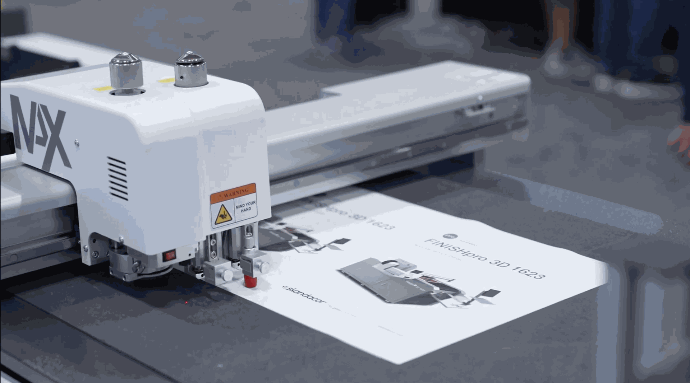
One example in this category is Skandacor’s FINISHpro digital die-cutting series is built for shops that want substrate flexibility and commercial sheet sizes. Models go up to 47" x 35" max sheet size, with select configurations designed to handle thicker substrates, which can be useful if your work spans paper, vinyl, and rigid materials. The machines auto-feed, pulling the sheet onto the belt, where a vacuum holds the substrate firmly in place during cutting. When the job is complete, the conveyor belt transfers the finished job to the exit tray. This setup and operation mean the machine can run while your operator does other tasks nearby.
If you want help narrowing down what fits your jobs and shop constraints, reach out, and we can point you toward a reasonable starting point.
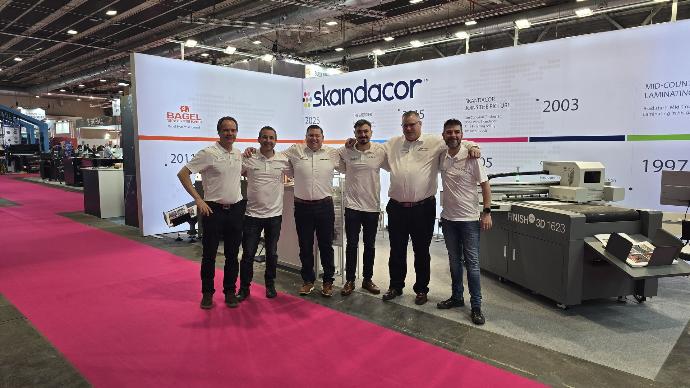
At Skandacor, we work with print shops of all sizes across North America and Europe to help them get more from their finishing equipment—whether that’s digital die cutting, laminating, or specialty substrates. We’ve seen firsthand how the right tools can turn a good job into a great one, and we’re always happy to share what we’ve learned.
Die cutter FAQs
Do I need rotary die cutting if I already have a flatbed digital cutter?
Not always. Rotary can be a strong fit for long runs of the same shape, while flatbed digital tends to shine for variety and quick changes.
What’s the difference between hobby cutters and print-shop cutters?
Repeatability and control: reliable registration, consistent tool pressure/depth, and the ability to run production without constant intervention.
Can one machine handle paper, vinyl, and Sintra?
It can—if the machine supports the right tools and has reliable cutting depth control for different substrate types and thicknesses.